

Cut beams and columns in Revit
Trying to cut a beam in Revit? Or a column?
Sometimes it can be a little frustrating. Keep reading to learn some possible solutions.
Standard tools to cut beams and columns
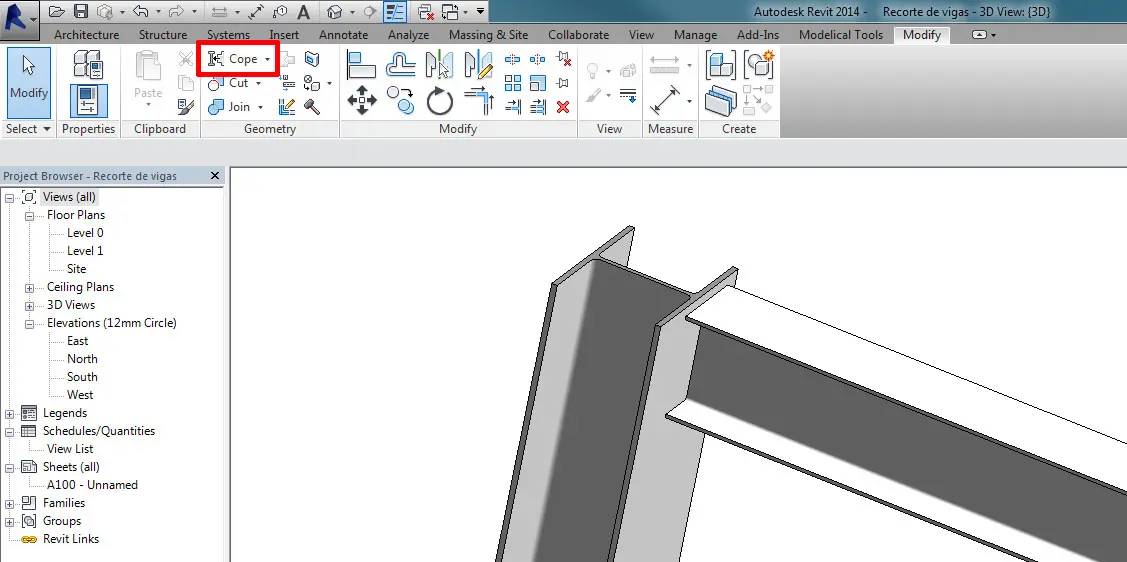
Cope
Maybe you tried “Cope” (Modify tab > Geometry Panel > Cope). But it only works for structural families with the Material for Model Behavior set to “Steel”. And you will need two structural intersecting elements to use it.
Reference Planes and Cut
Beams and columns ends can be cut at a certain angle using Reference Planes and Cut Tool (Modify tab > Geometry Panel > Cut). That is very useful, and will work for every beam and column except for those with Concrete Material Behavior (Family Parameter).
You can even attach Structural Columns to a Reference Plane, just as you would attach them to a floor or a roof.

Opening by Face
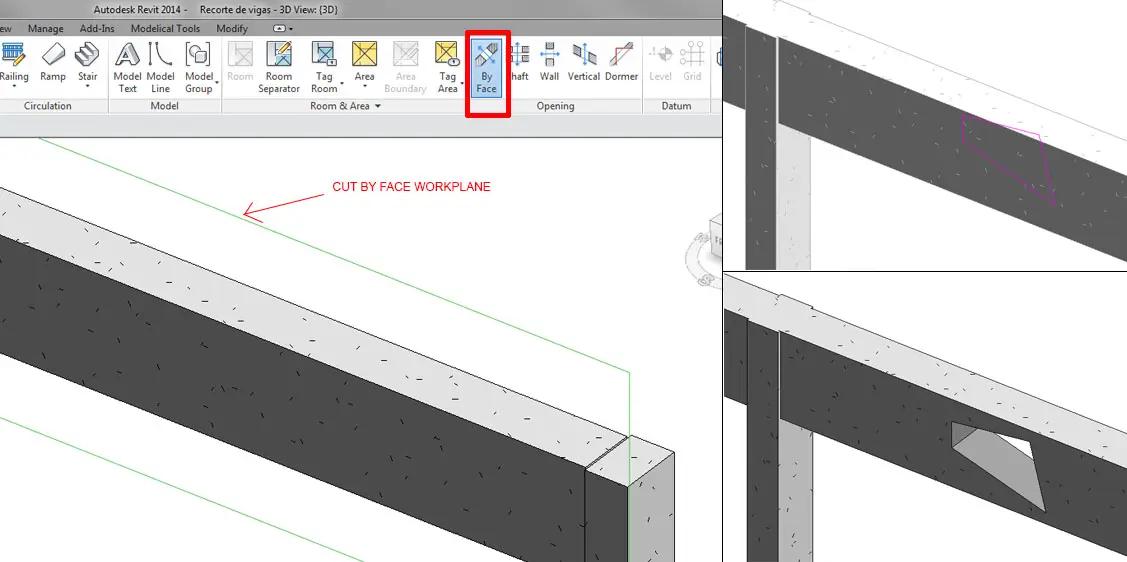
Other standard tool: Opening by Face (Architecture/Structure tab > Opening Panel > By face).
With this tool you can customize the opening you model on your structural elements (beams and columns) but with some restrictions: it will be always a through hole, and in one of the perpendicular directions of the beam/column cross section.
What if what you want to achieve is none of the previous cases?
Sure that you have thought of using an In-Place Void Component. It won´t work. It does with floors, walls, and other categories, but not with Structural Framing or Structural columns.
What then?
Generic Model Families
Well, an In-Place Void Component, will not do it, but we can use a void in a Generic Model FAMILY. This is a way. In this case, remember to activate for the Structural Framing and Columns Families the Family Parameter “Cut with voids when loaded”.
Masses!
But better than that, for specific and special openings, is to use IN PLACE MASSES!
Not void masses but solid masses, and cut the beam or column with that element.
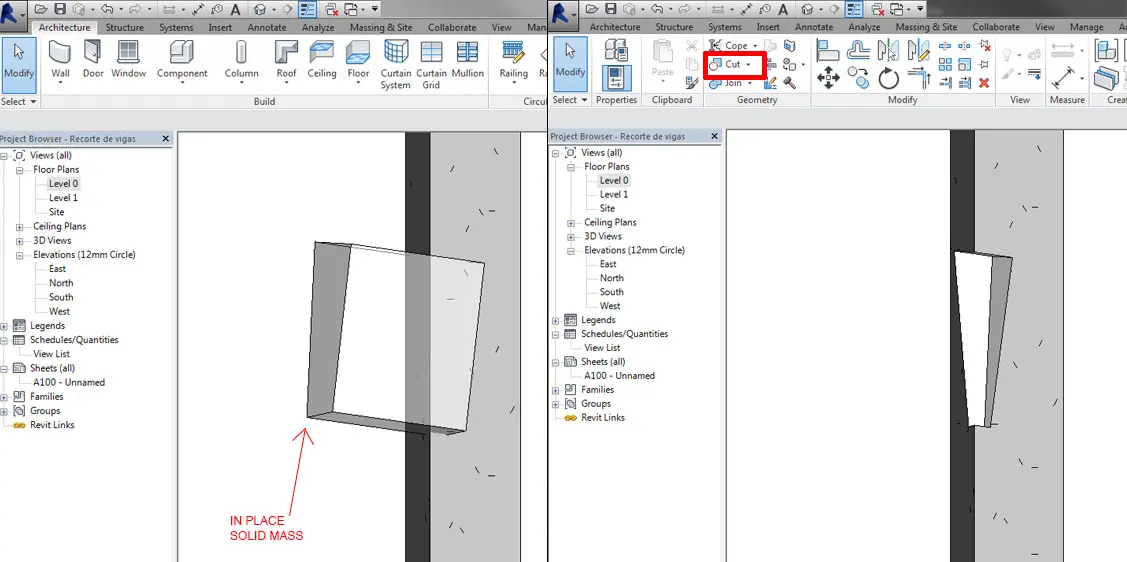
Masses can be used as auxiliary elements, like we would do with in-place components. But better than them, because normaly they are already a hidden category, non visible in views.
Additionaly they won´t appear as in-place components in category schedules (in-place components would), because they have their own category.
But maybe you knew all that…