

Digital Twin BIM Workflow
From a Physical Asset to Virtual Reality
We can’t just handle raw reality, it is way too complex. What we engineers do is, through study, try to set certain rules that allow us to predict specific consequences. These laws need to be fed with some form data from that reality. The set of rules we build to predict a given phenomenon is what we call a Model. The specific data captured from reality to feed the models is what we call parameters.
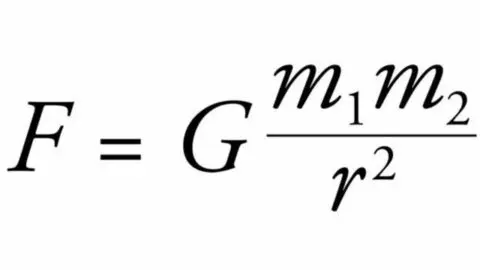
For instance, Newton’s law of Gravity predicts the attraction force between two elements. We have to feed this law with only these parameters: object mass one, object mass two, distance between them and gravitational constant. Thus, complex reality is simplified to four specific pieces of information. Being able to predict the response of a certain element to a certain variation generates a model of that asset. That is what we call a “twin” of the asset.
Nowadays we take advantage of computation when dealing with data and information. Digital information and digital tools allow us to manage digital models. And that brings us to the buzzword: Digital Twin.
What does it take to generate a Digital Twin? What software is involved? Who works on it and how does the information flow? Let’s address these questions in a plain and simple way.
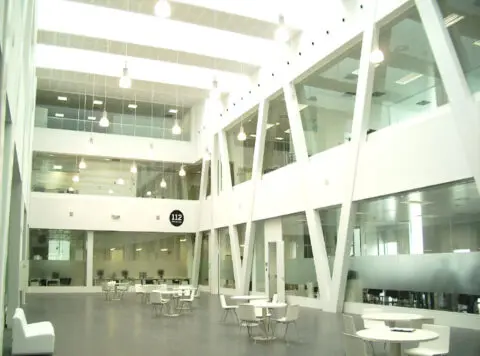
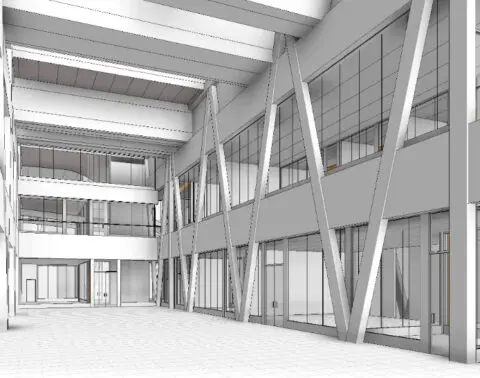
Pictures of a Real Asset (left) and its Digital Model (right)
The Physical Asset
Any building or infrastructure referred to as an asset, has certain data within. We can measure its physical magnitudes and we can check the information gathered on design, construction and operation stages.
Modern laser scanning devices allow us to take a fast, accurate and comprehensive survey of an asset. State-of-the-art technology can digitally operate with point clouds, the output of laser scanning.
We can also harness the existing data of the asset into dedicated pieces of memory and with a certain format. We call it “metadata”.
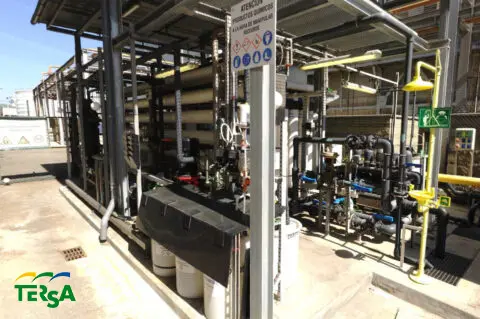
Picture of a water treatment facility
Documentation Achaeology
When we access the documentary archive of an existing asset we are confronted with a lot of data. It is then up to us to determine what part of this data is current, what part is obsolete and what correlation exists between the current data and the data I need to fill in the parameters of my model. In short, I need to move from data to useful information. This documentation archaeology work takes place at the analysis phase.
Figure: Example of Documentation record schedule
Asset Pointcloud and Existing Drawings
Remember the beginning of this article: We cannot handle raw reality, it is way too complex. We will build a Model from reality accurate enough to simply predict the reactions to certain variables. If the existing drawings are accurate and reliable enough, we don’t need a laser scanning campaign to build our model. If we want to check our existing drawings, we may proceed with a discrete laser scanning contrast campaign. If we decide that existing drawings are not reliable enough, we will engage in a full scale laser scanning campaign.
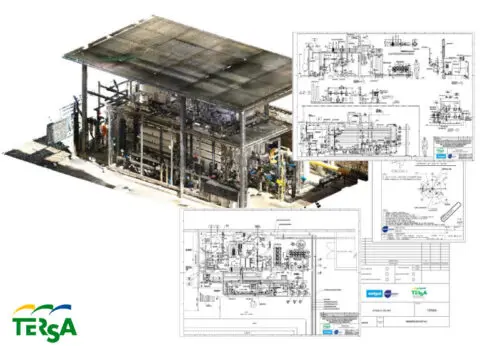
Figure. Pointcloud and existing information of the water treatment facility
Modelling tool
Existing drawings and point clouds are taken as reference to build a database based on 3D objects. The Modeling tool sets the geometric model and creates the parameters (metadata repositories). We can use the modelling tool to feed these parameters from existing information.
The more codified and classified the existing information is, the more automated the feeding process will be. The modelling tool doesn’t have to be the simulation tool. We can generate the model in a certain environment and perform simulations in a different one.
BIM Model
So we have a model of the building filled with the required information. From now on we will call it a Building Information Model (BIM), makes sense? If we want this model to be easily used by our clients or collaborators we will want it to meet certain standards. How information standards and requirements are met is laid out in the BIM Execution Plan (BEP). Can a BIM model be built without BEP? Sure, just as a house can be built without an authorised project. The question is: would you live in a house built without an authorised project?
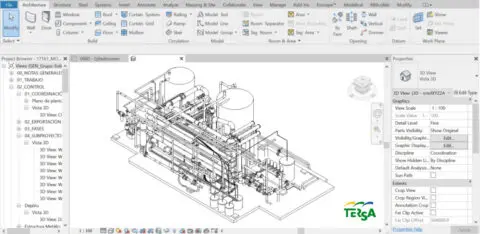
Figure. BIM Model of the real asset
Functional Model
Once we have a geometrical database of our building, we connect it to a material database. We perform that connection in a graphic engine (like the one we use to create video games). If we also program the expected actions and the range of predicted reactions, we have a functional model.
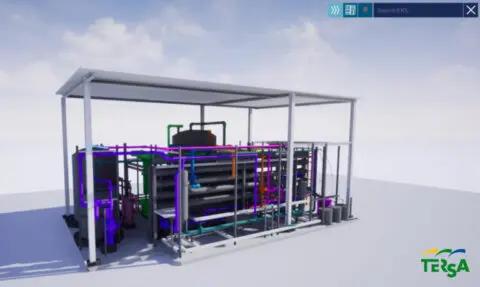
Figure. Functional Model of the real asset. Notice the simplified number of commands against BIM tool complex commands
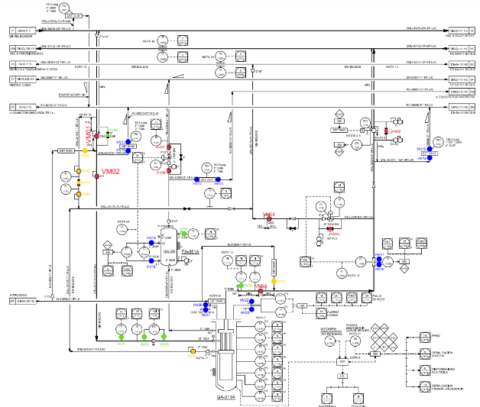
Creating functional workflow
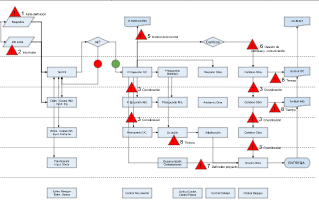
Our functional model can do whatever we want it to do. Now we have to tell it what to do and what is the sequence of actions that the user will carry out. This sequence of actions to simulate, and the responses triggered at each stage is the storyboard. With it, the development team creates the functional workflow: how the information (parameters) and geometry will be managed throughout the simulation.
At this stage, information from other simulation software can also be used, even if they do not have advanced graphical capabilities. Early on-boarding of device users avoids reinventing the wheel and incorporating existing tools. As an example, we can connect a model to a structural analysis tool.
Geometry optimisation
It is time to create the intended user experience. At this point, we may be interested in creating a realistic environment to achieve an immersive experience that allows us to decide on the appearance of the finishes. On other occasions, we may want a very clear and neutral environment to provide direct access to information and not detract the user from the task.
On one hand, we must simplify all those objects on which we do not perform actions. For example, in an escalator we can place a tread pattern on the steps on a flat geometry, achieving the same effect with a lighter model rather than adding geometry detail.
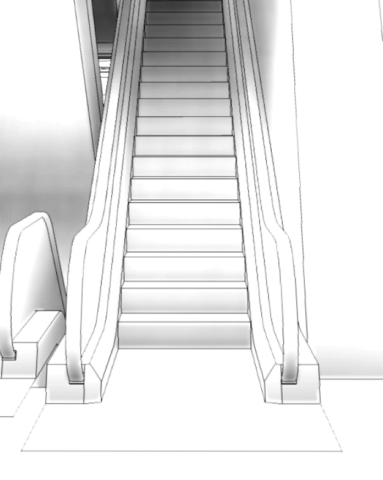
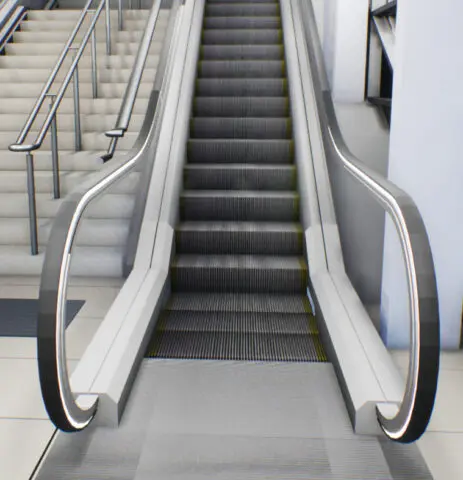
Figure. Example of complex tread finish pattern (right) applied to a simple step geometry (left)
Knowing which objects are movable and how they move allow us to set our scene in advance. Thus, we will set the lighting and shadows of anything that will remain static. Similarly, we will simplify the boundary boxes of objects that should interact with each other (without modifying their appearance). We call these processes light mapping and collision optimisation, respectively.
The increasing capabilities of software and hardware make us think that these optimisation processes may become obsolete in the short term.
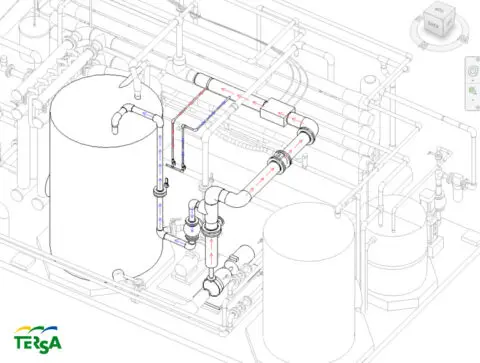
Figure 6. Model showing flow inside pipes.
Physical sensors
Physical sensors can be understood as devices that we place in the building and allow us to update metadata. Sensors will therefore have a specific location within the model and will provide a data record over time.
External Data Processing
Revolution will not be televised, and sensors won’t provide data in the format in which the functional model can assimilate it. This is a normal thing, not a problem.
It is a matter of automating the reading of the sensor data and transforming the data into something that can be understood by our functional model. In other words, we will automate how to process the data record to get information.
External Data Feed
Once we have the information filtered and in the appropriate format, we proceed to link it to the model so that it can process it and generate a result.
Web Platform
We are increasingly used to seeing results in BI-type platforms. The web allows us to connect different applications and customise the display of results. In addition, the web allows us to analyse the models, evaluate them and take action without needing to have the modelling software or animation engine installed on our device. That is, we can modify the models from our mobile phone.
Digital Twin
The Digital Twin is the outcome to applying a functional workflow on an optimised 3D model, our prediction model based on initially decided parameters (metadata).
That model can be consumed on a computer monitor or on our Virtual Reality goggles. Either option is just a predefined saving setup on our Graphic Engine Software.