

Door openings in joined parallel walls
Helpdesk
Door openings in joined parallel walls
Introduction
Modeling two walls in parallel, due to project requirements or modeling strategy, is a common situation in Revit. This circumstance has a direct impact on those families that are hosted in these walls. Let's take a look at the problem as posted by one of our users.
Question
Why do certain door families perforate all joined walls and others do not? What family parameter must be modified for the opening to be cut in the host wall?
Answer
First of all it is important to underline that if the walls are not joined (Modify Walls/Join Geometry) the wall insert (door, window, etc.) cutting the opening will cut only into its host wall.
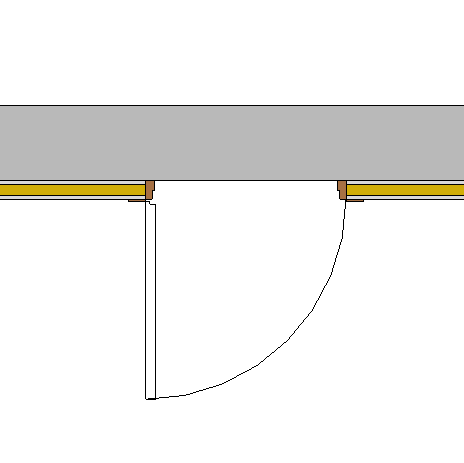
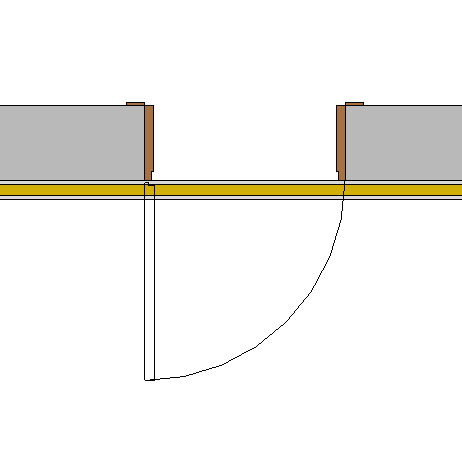
Secondly, the behavior of the family will depend on how it is modeled, not on a parameter. If the door opening has been generated in the family with the "Opening" tool (Create/Opening), it will indeed cut through all joined walls.
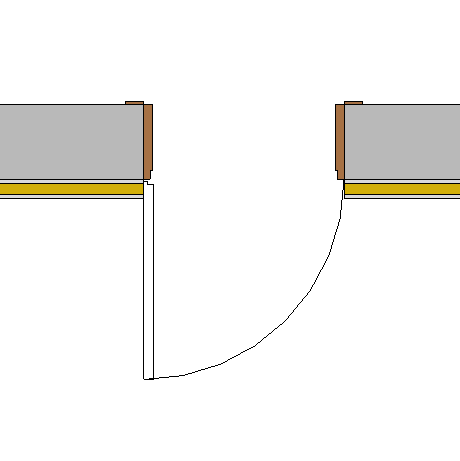
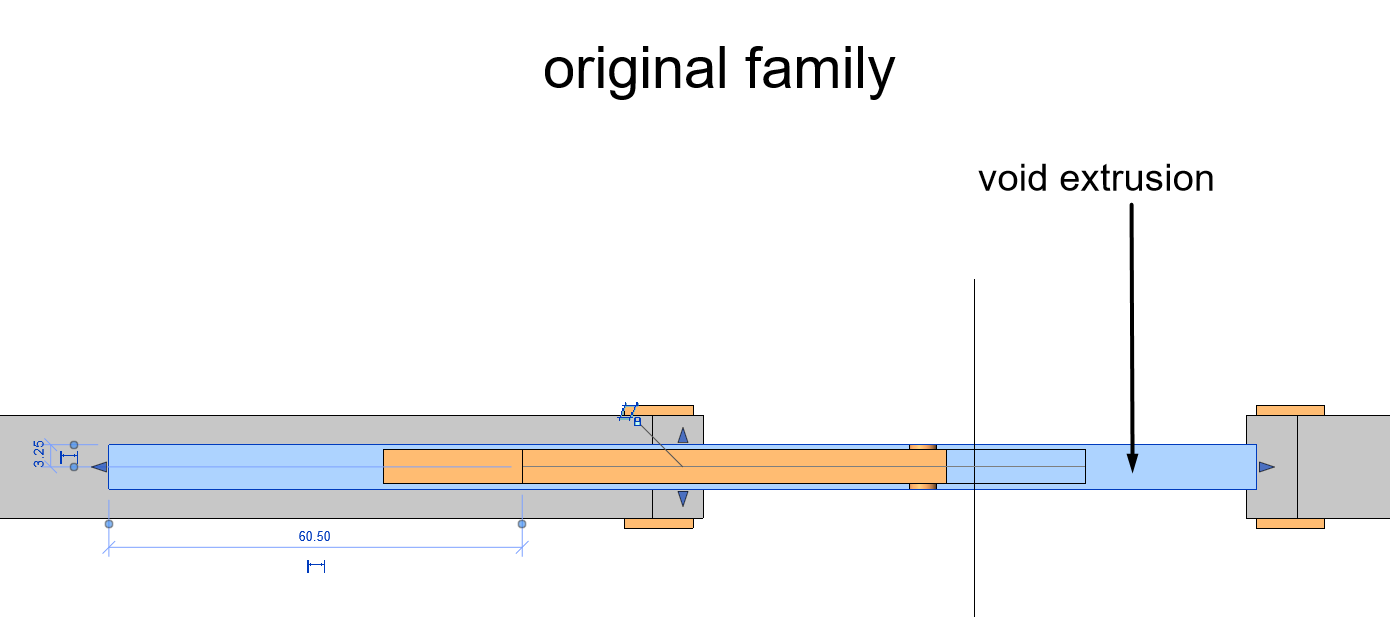
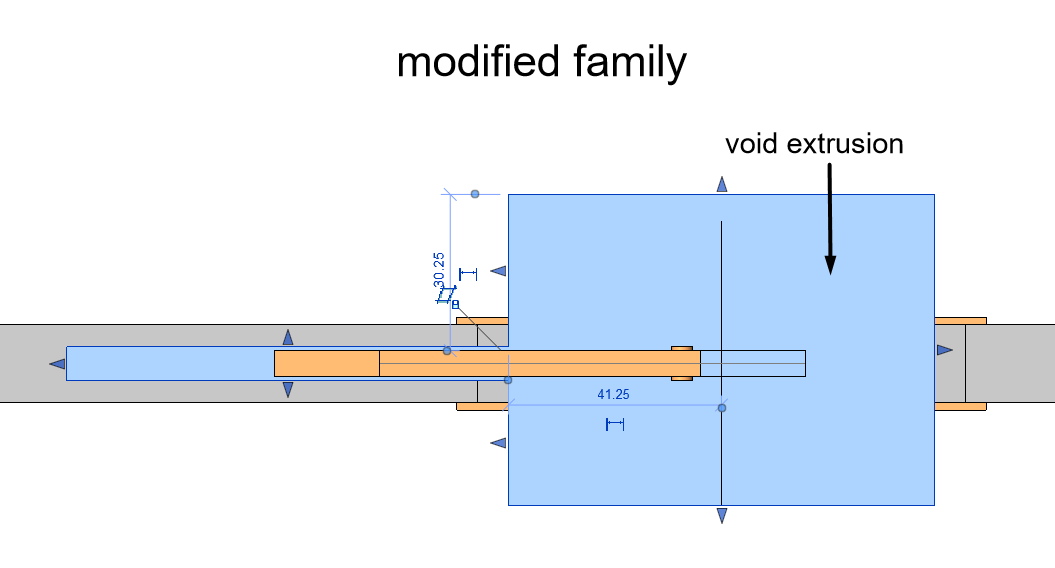
On the other hand, if the door opening has been modelled in the door family as a "Void" (Create/Void Extrusion), the opening will only be cut by the actual volume occupied by this void. This usually happens in sliding door families. To solve it we must edit the family and make the void extrusion grow as much as we need.

Bonus track
Was it useful? Leave a comment!
If you want to know more about families, nested families and complex families , visit our website!
And if you prefer a video, in this link you will find a webinar we did on good practices in families (in Spanish).
At Modelical we offer help desk support for businesses. We have packs to answer your specific project inquiries which can be accessed by email. With this service you will be able to resolve any type of specific query, from whether it be a problem at development stage of a project or advice and general support in any of our tools and products.