

Loadable Family Visualization
Helpdesk
Loadable Family Visualization
Introduction
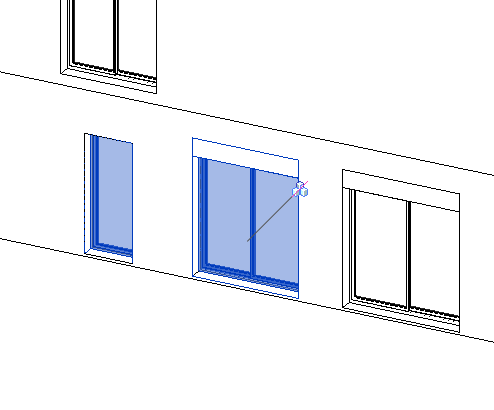
The exact modeling of a Revit family is not necessarily as seen in the different views. It can be controlled using detail lines, visibility parameters… Let's take a look at a typical question we are often asked.
In this case, instead of modeling a shutter box on top of a window, the strategy adopted is to draw 2D lines representing the shutter box, and to apply visibility parameters to these lines depending on whether the window has a shutter or not. Therefore, it is a strategy that affects only visibility.
Question:
We have a display problem in the shutter box in a window family.
We only manage to control the display of the shutter in the sliding window type, however, in the casement window we do not get these display parameters to show us the lines of the shutter box.
Answer:
The visualization problem of the family is due to the fact that in the first family: “Double sliding window”, the lines representing the shutter are drawn as Model Lines.
In the second family: “Casement window single”, the lines representing the shutter are drawn as Annotation lines, so only in the elevation view of the family they are visible.
To solve the problem, the annotation lines must be converted to model lines. In order to do so, in the exterior elevation view of the family “Casement window single” you must:
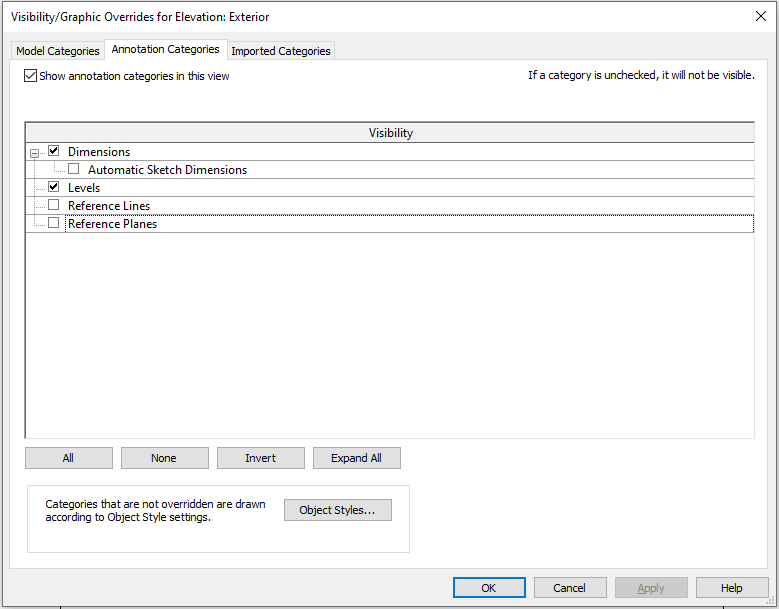
- Turn off from Visibility and graphics the Reference Lines and Planes to have a better visibility of the lines.
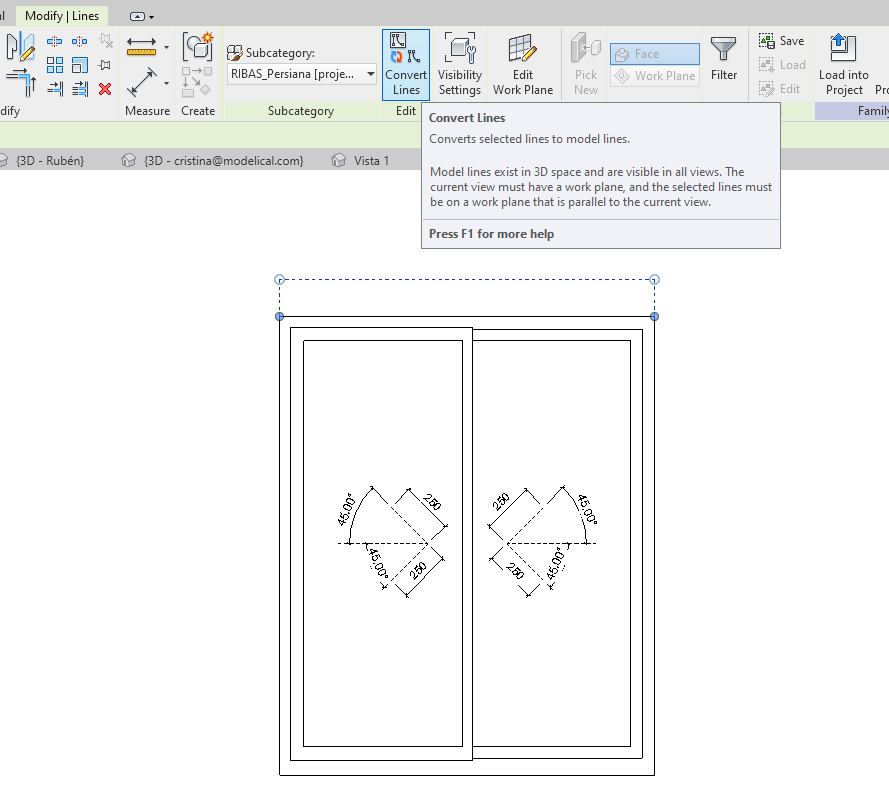
- Select the representative lines of the shutter and click on Convert Lines, which will convert them into Model Lines.
-With this conversion, the parameter: "Persiana Alzado" will be lost, so it must be reassigned to the visibility parameter on the properties palette.
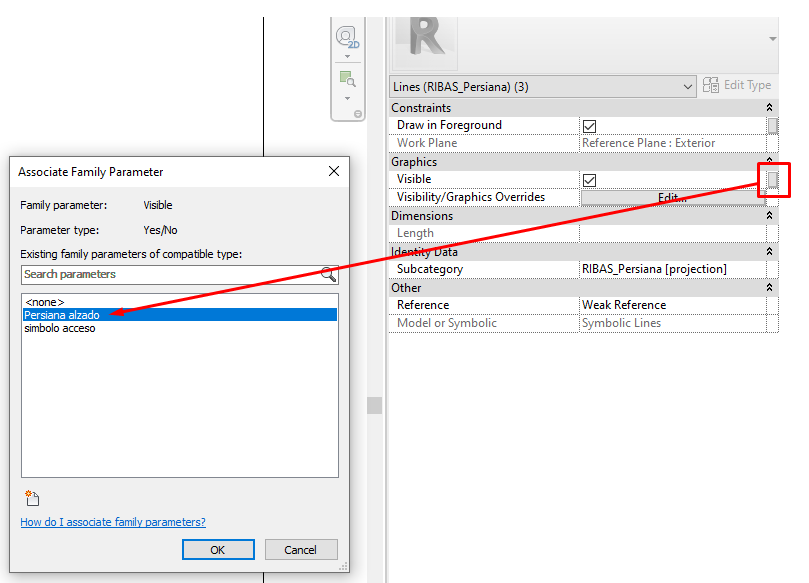
- Finally, it must be ensured that the lines are drawn on the correct working plane: the reference plane name: Exterior.
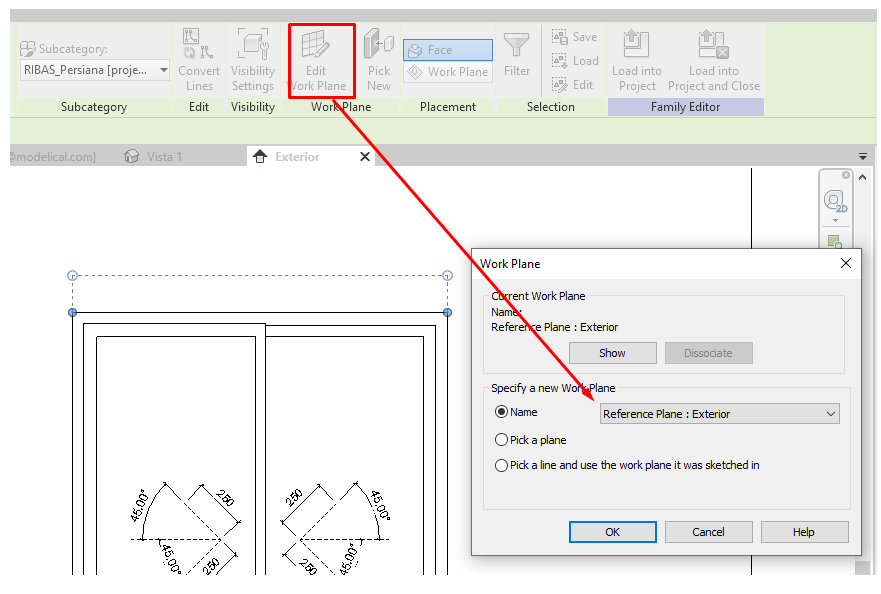
- When reloading the "Casement window single" family in the project, the parameters will be overwritten and the visibility parameter elevation shutter will allow to hide or show the lines representing the shutter.
On the other hand, we would like to point out that this representation system can be useful in the case that the wall is smooth, but if a pattern or texture is applied to it, the lines representing the shutter will be confused with the pattern of the wall. For those cases, the best way to represent the shutter would be to create a new "Opening cut" on top of the window and insert a shutter family or a solid that represents it, with its dimensions properly parameterized.
Bonus track
Did you found this helpful? Leave a comment!
If you want to know more about families take a look at the visibility section of the Complex Families in Revit, although if you don't have a lot of experience with families, we recommend you start by watching our webinar about best practices in Revit families, available in the Campus platform.
At Modelical we offer help desk support for companies. We have packs that attend to specific queries related to projects by email. With this service, you will be able to deal with any kind of specific query, from a doubt or a problem in a project development to general advice and support in any of our tools and products.