

Visualization of sloped pipes
Helpdesk
Visualization of sloped pipes in Floor Plan
Introducción
Achieving a good visualization in a plan, when several disciplines coexist, becomes a complex task.
Architecture and MEP are usually the most conflicting disciplines to achieve a successful visualization in both at the same time.
In the following case, a user presents us with an interesting situation.
Question:
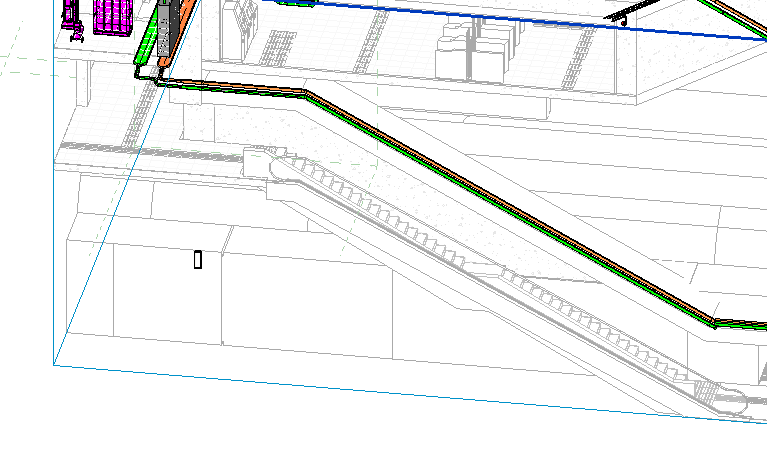
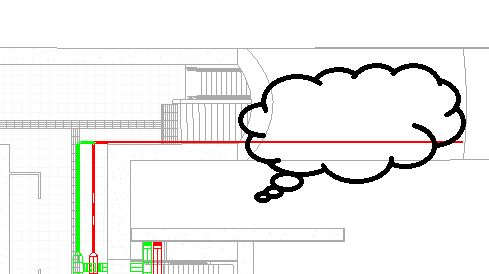
I would like to know how to represent the MEP network so that it is cut off in the same point than the civil work in the staircase area.
Answer:
Regarding the question you are asking, I am sorry to inform you that, in Revit, it is not possible to generate this cut by modifying the view ranges, nor through a region within the same view.
However, not everything is lost. As we have found out, there are two ways in which these cuts can be carried out:
A. Use of fittings
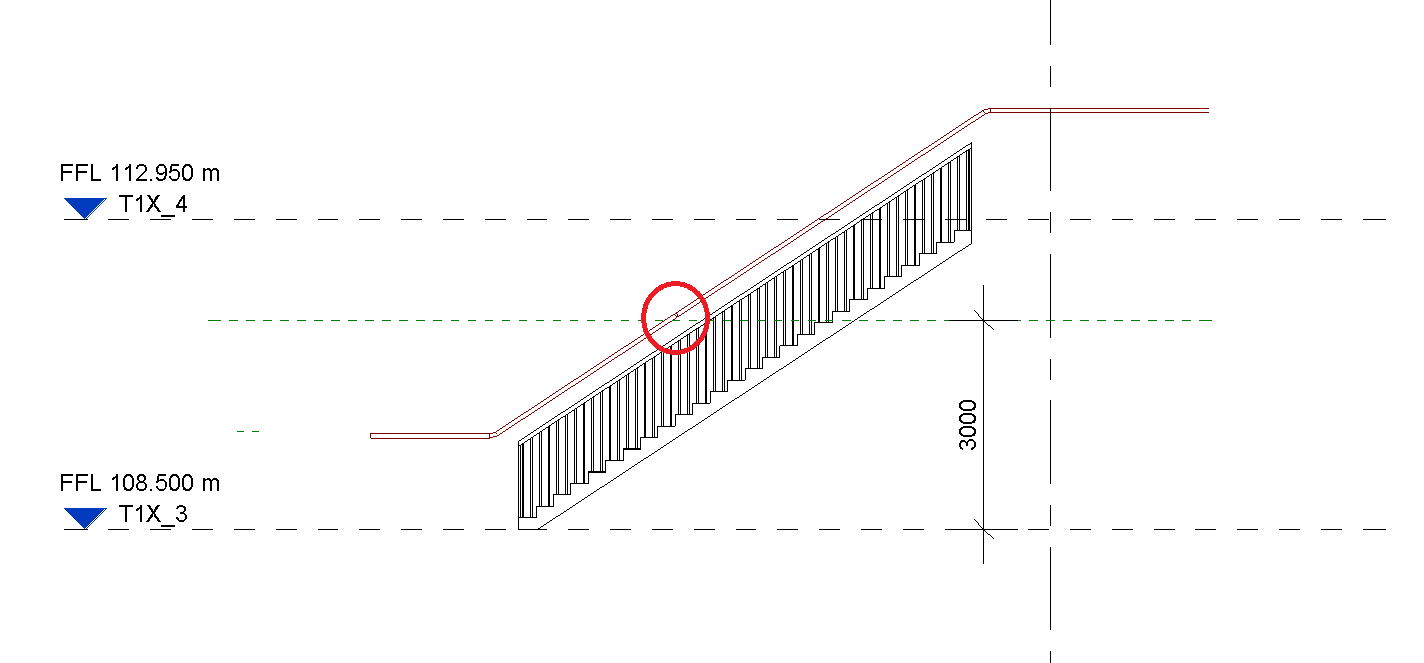
As you have seen, Revit highlights the entire section of a sloped pipe regardless of the upper cutting plane assigned in the view range. The example I show you is exactly the same case.
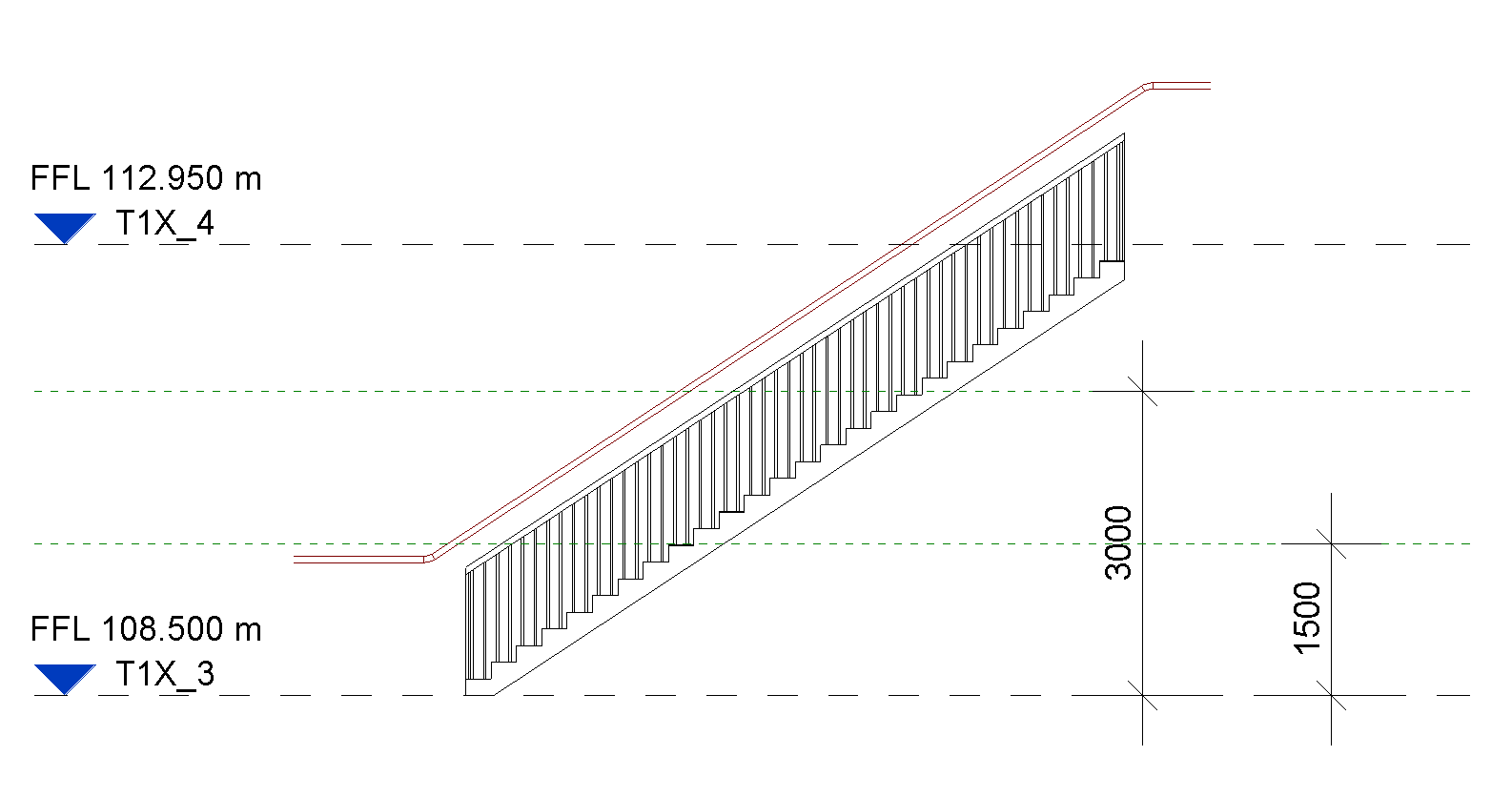
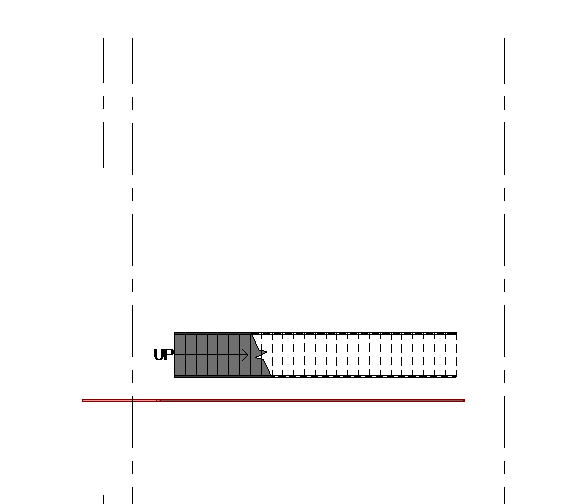
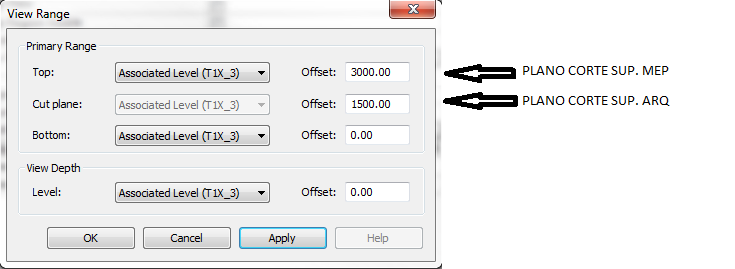
To solve this, we create a cut in the pipe from which the fitting joining of two pipe sections will be created. Before doing so, we have to make sure that we have correctly configured the routing with this fitting.
IMPORTANT
If the piping system is configured to perform calculations, it is enough to set the pressure drop method to "Not calculated", so that it has no impact on the static pressure of the system.
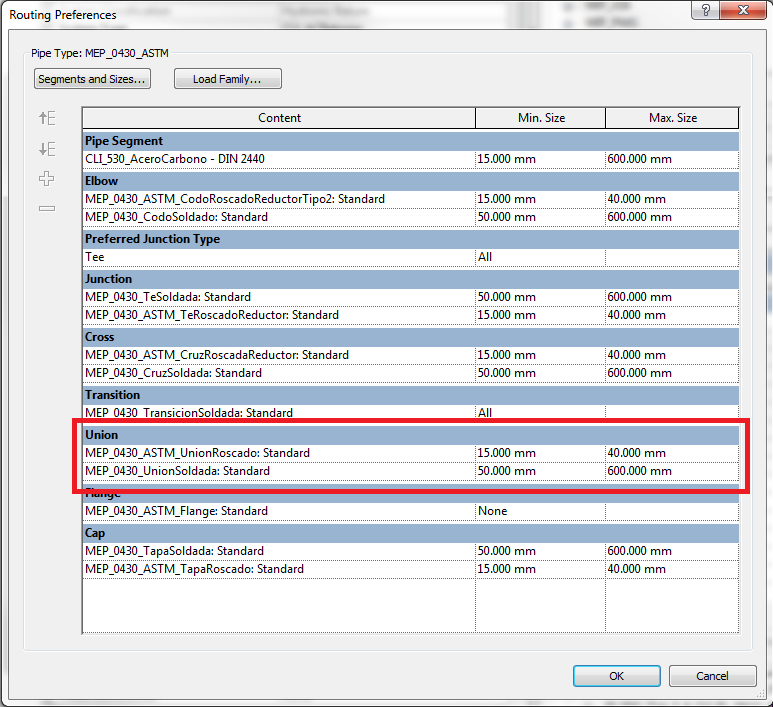
IMPORTANT
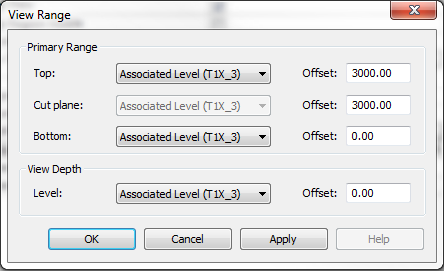
This fitting must be placed above the desired cutting plane, and set the view ranges "mep model top cut" + "architecture plane" to the same dimension to produce the effect we are looking for. I show you the same example, including the modification:
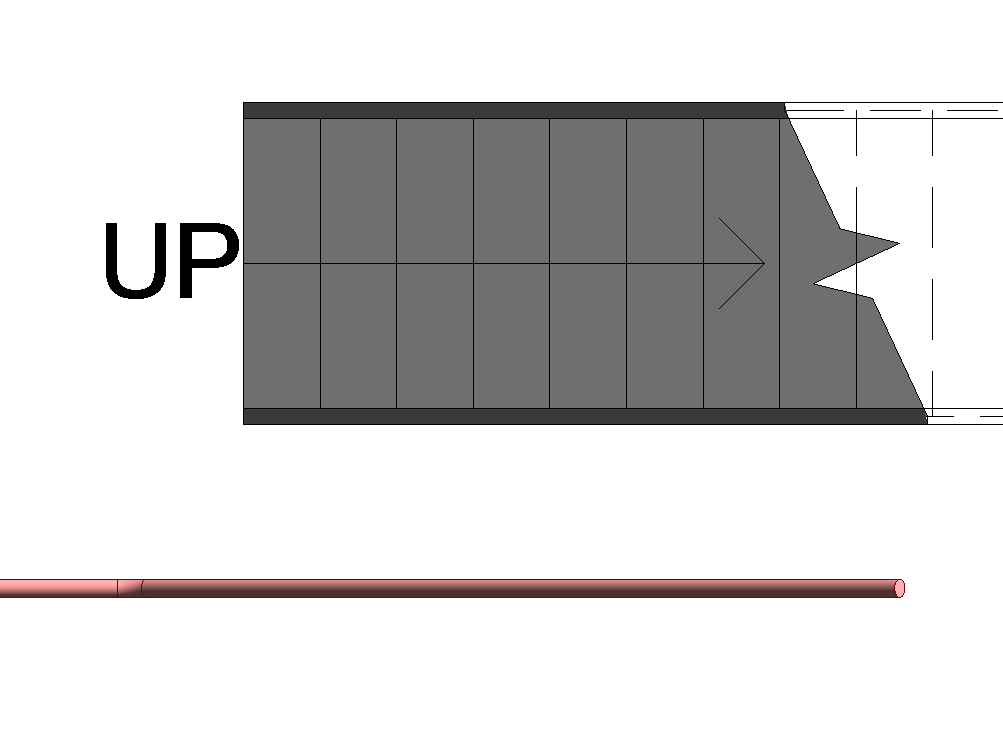
B. Use of masks
The least elegant option is to create a mask region that hides the undesired pipe section.
As good practice we recommend the first option to solve your problem.
Bonus track
Did you find this helpful? Leave a comment!
If you want to know more about MEP representation take a look at the visibility section of the MEP Best practices.
At Modelical we offer helpdesk support for companies. We have packs that attend to specific queries related to projects by e-mail. With this service, you will be able to deal with any kind of specific query, from a doubt or a problem in the development of a project to general advice and support in any of our tools and products.
One significant benefit of BIM is that it provides reliable construction cost estimates long before the construction phase begins.