

Corner protection placement from rooms
Whats up folks!
Have you ever tried to automate corner protection modelling in Revit in a +700k sqm project? Well, this is exactly what this workflow did.
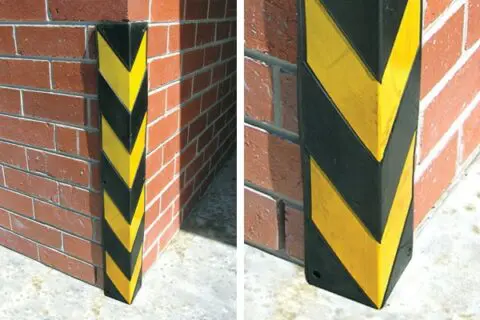
Corner protectors, like in the image above courtesy of barrier group (http://www.barsec.com.au/). are widely used in MEP areas in order to protect wall integrity from physical damage.
First of all family creation should fit to auto-placement strategy. A corner protector is a beautiful parametric angle family and a good example to put in practice Marcello Sgambelluri’s (http://therevitcomplex.blogspot.co.uk/) revolve strategy for angle control.
We will use an invisible little revolve geometry to control the angle between our two wing profiles with revolve’s “end/start angle” parameters. Then, we have to host our rotation solids to the revolve faces and then join them. After this we make a relationship between revolve angle parameters like in the image below.
If we want to make our family aware of its room in order to list how many corner protectors we have per room, remember, we have to check the room calculation point (boolean) parameter in family parameters. And to move it clearly inside the room.
I think that the most interesting thing in this definition is how to filter convex corners in rooms. I placed a circumference in every room lower face corner, then I intersect them with the lower room face and compare the length of this arc with the total length of the circumferences. With this ratio I can clearly filter them. This is the resulting convex corners
If room lower face extraction fails you can always reconstruct the surface by patch with the room boundaries.
Corner direction and aperture angle is calculated with our intersection arc, Center-MiddlePoint direction for the main direction and angle between the Center-StartPoint and Center-Endpoint directions for aperture angle.
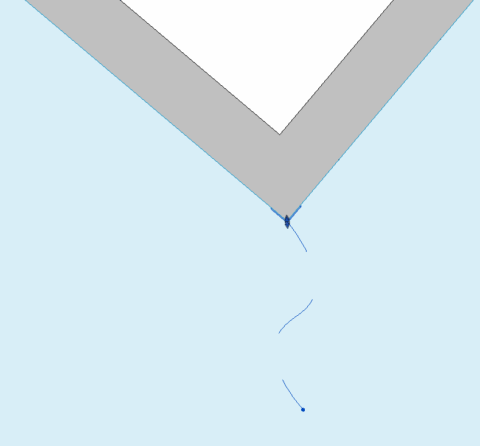
Element rotation correction is another interesting issue I tackle in this workflow, this implementation (rotation correction) has been widely used by me in almost every single element location direction based definition I’ve made like MEP hangers/openings placement.
After we locate our families and apply their specific rotation notice that some directions need a 180º correction (or a *(-1)) Mismatch relative directions are II and IV quadrants, so I filter every single direction by checking its cosφ negativity with Y and X axes via dot product.
Hope you enjoy, you can download the dynamo definition and one corner protection family from here , leave your comments below, eyes open, no fear!
thanks for your sharing to us