

Revit Server Installation
Workflow
Revit Server Installation
Requirements
Revit Server does not need any kind of license to operate. It can be downloaded freely from Autodesk.
Computer minimum specifications
- Windows Server 2008 R2, 2012 or 2012 R2 (2016 is not officially supported)
- Physical or virtualized computer
- 4 GB RAM
- 2 CPU cores
This configuration should be enough for a small number of users (up to 10). To see Autodesk recommended configurations visit the following link:
https://knowledge.autodesk.com/support/revit-products/troubleshooting/caas/CloudHelp/cloudhelp/2017/ENU/Revit-Installation/files/GUID-09CA7045-5849-4532-82A0-1CFE164602A0-htm.html
It is recommended to install Revit Server Accelerators especially in situations where there are more than 5 users accessing the host concurrently. See scenarios chapter to see possible configurations.
Access requirements
- Ports 80 and 808 (TCP) should be open.
- The server machine should be able to send and receive ICMP messages (in particular it should respond to echo requests (ping)).
Security requirements
As Revit Server does not provide (almost) no security measures we are responsible to implement security procedures to disallow unauthorized user to access the server.
A straightforward measure would be to filter IPs whitelisting IP ranges for authorized users.
Possible scenarios
External host
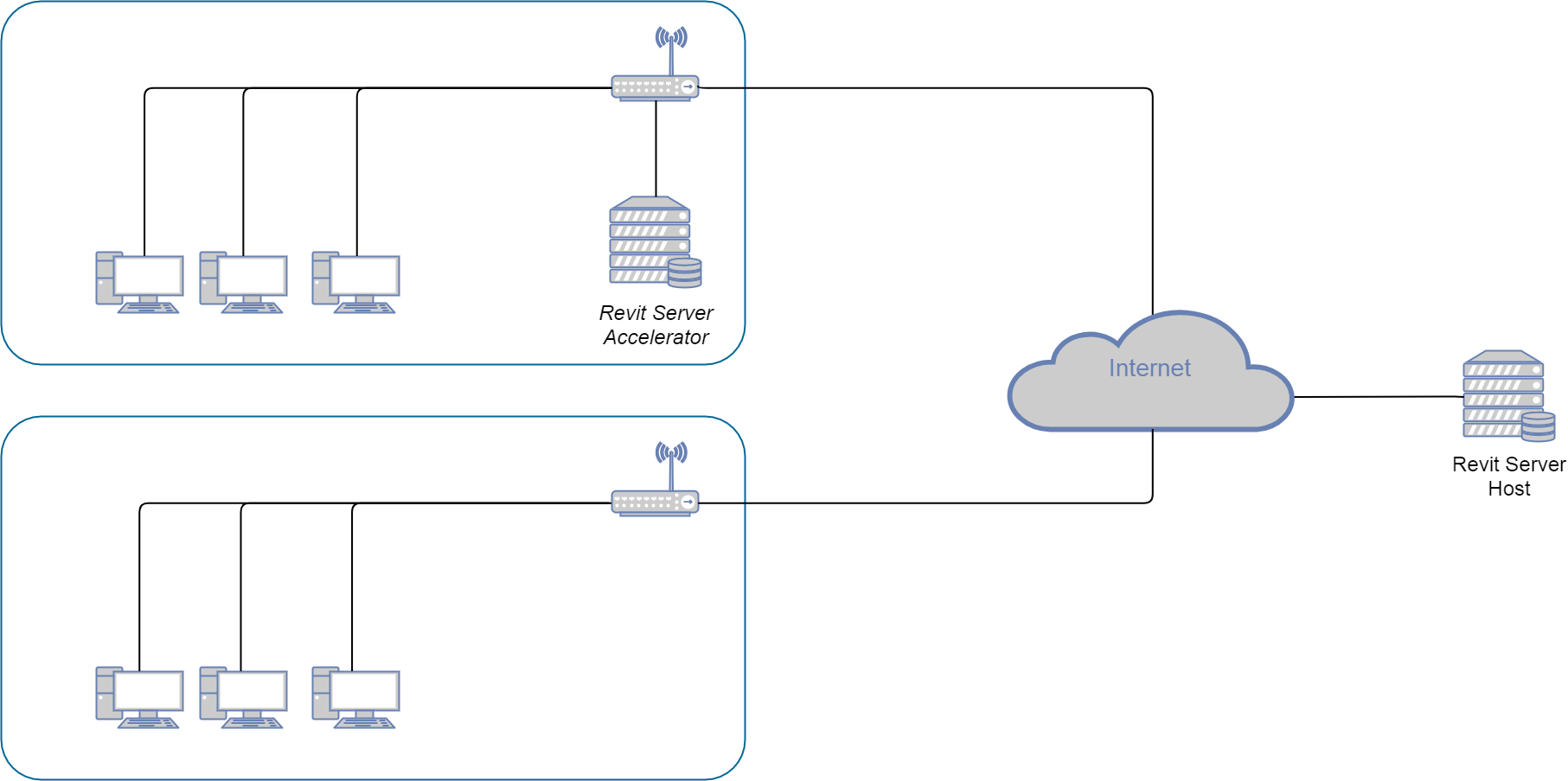
In this scenario two separate offices can access a common host located in the cloud. One office access to the host using an accelerator and the other access directly.
As mentioned before an accelerator is optional but it is always advisable.
Internal host
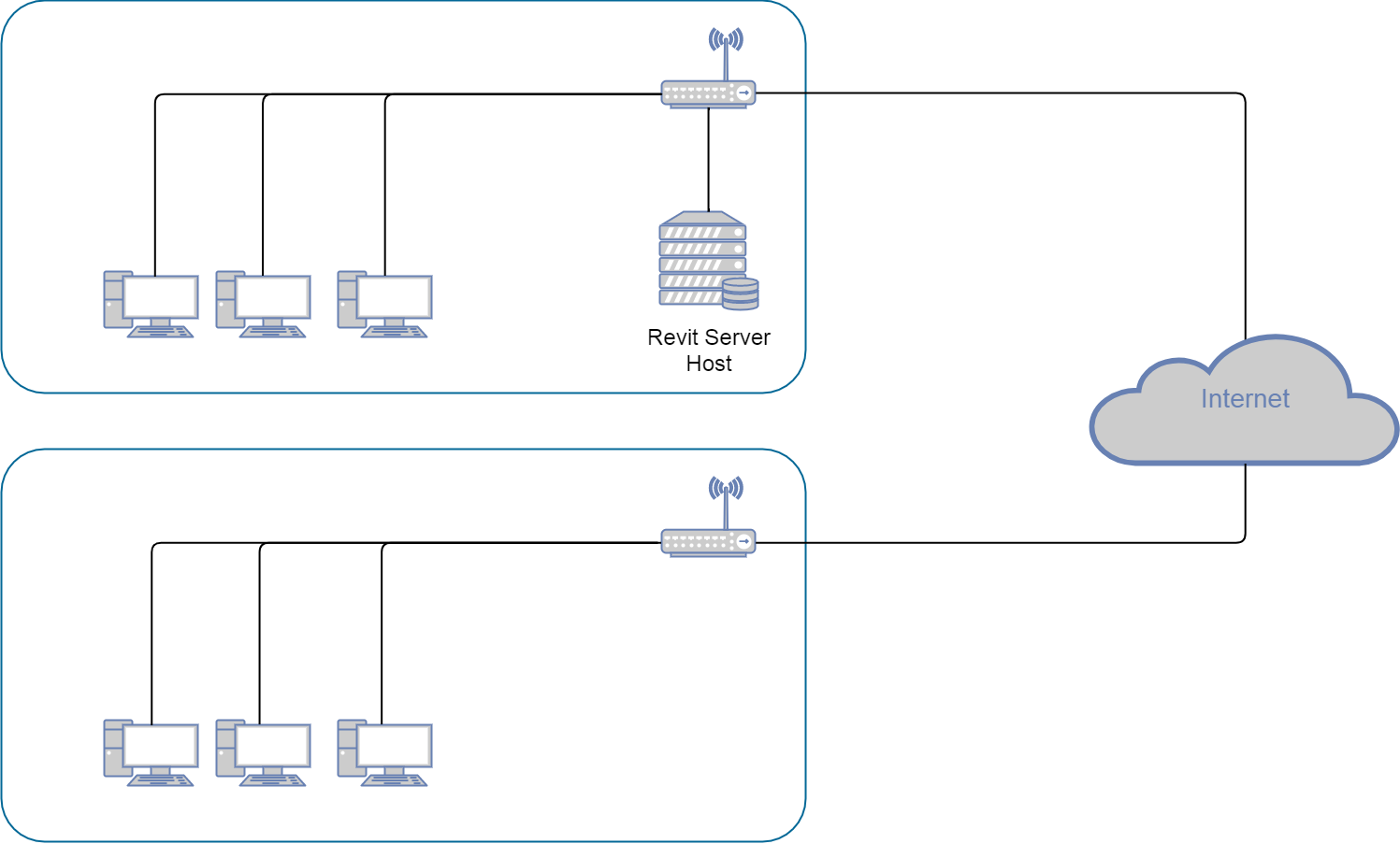
In this scenario the host is installed internally in one of the offices. The computers accessing the host in the same office do not need an accelerator as they have direct access to the server.
In the other office they access the host through internet. Again, an accelerator is advisable in this second office to improve performance (but optional).
Procedure
Autodesk has a great step by step installation guide in the following link:
Basically you will have to accomplish the following tasks:
- Install required Windows Server roles as stated in the above link
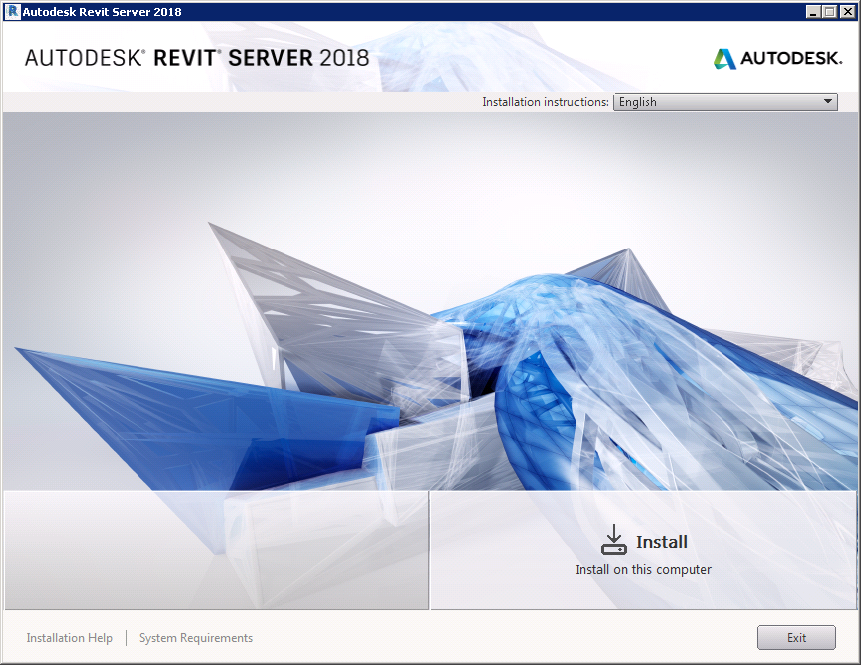
- Install Revit Server checking available options:
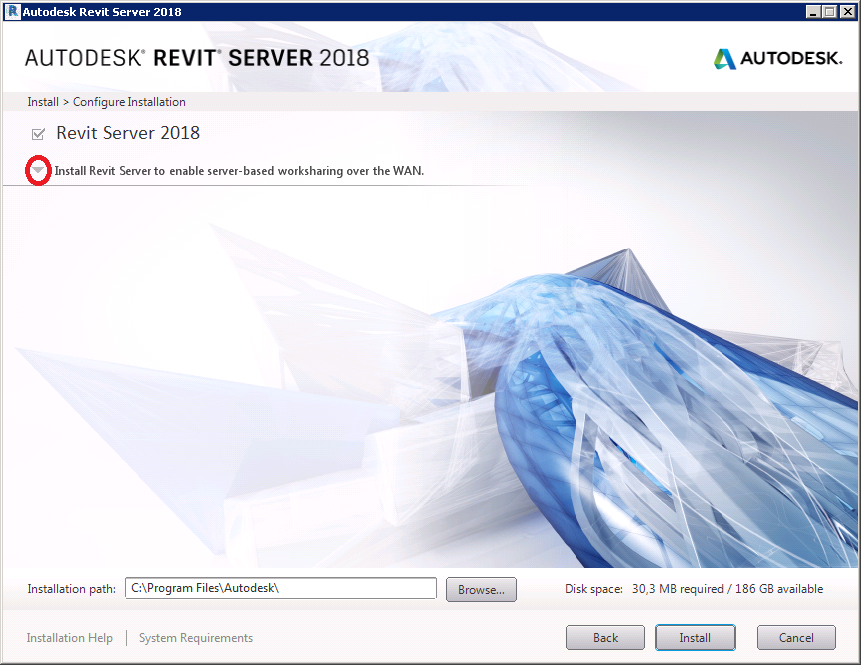
Click on the arrow to show advanced options:
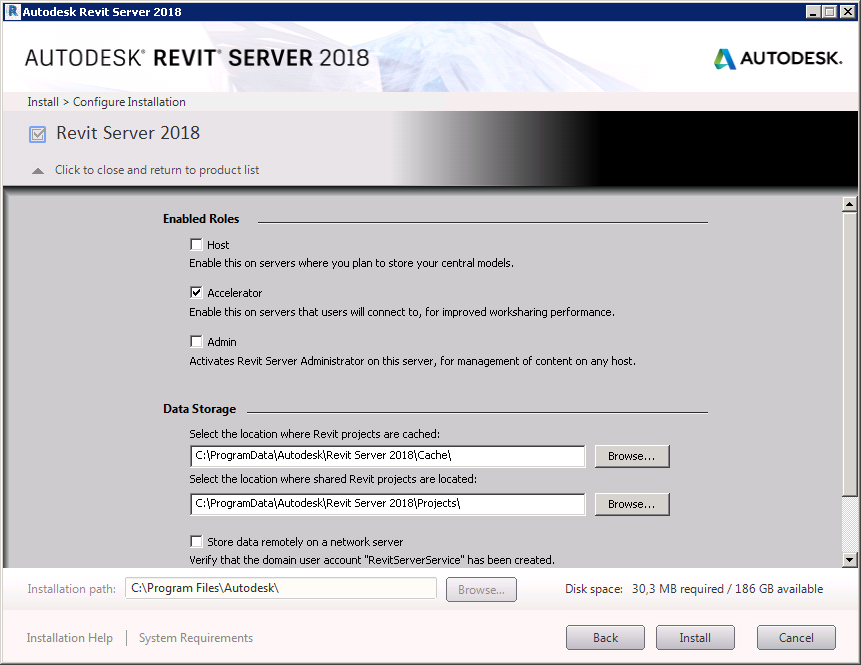
By default, only the Accelerator role is selected, you can select/deselect the checkboxes to customize your installation:
- Check Host if it will be the machine storing the files
- Check Accelerator if it will be used as an accelerator on a local network
- Check Admin if you wish to access a web panel to manage files and folders in the server
To finish the setup make sure to:
- Open ports 80 and 808 on your router if required
- Allow the server to respond to echo requests (ICMP protocol)
Accelerator/Admin further configuration
In order to be able to cache contents from the Host machine or give access to the administration web of the Host machine it is necessary to explicitly add the host address to the RSN.ini file located at:
%ProgramData%\Autodesk\Revit Server 2017\Config\RSN.ini
With the following contents (the IP address from the Revit Server Host machines):
Revit.server.com # Example 1 (DNS) 8.8.8.8 # Example 2 (IP) |
You will have to create the file at the above location if the file does not exists.
Tips & Tricks
Install Microsoft Security Essentials on Windows Server
- Download the mseinstall.exe(security essentials download)
- Change the compatibility to windows 7
- Execute from the command prompt with the /disableoslimit parameter.
https://vivavivugeek.blogspot.com/2017/01/install-microsoft-security-essentials.html
Note for updating MSE:
When running Windows Update, you may see new update for MSE but the installation will be failed.
After Windows Update tried & failed, open the folder: C:\Windows\SoftwareDistribution\Download\Install, then you may see “UpdateInstall.exe” file, change the compatibility to windows 7, then you can install new update.
Activating .NET 4.0 for IIS
This was activated before DMZ so it is unknown if it is necessary.
C:\Windows\Microsoft.NET\Framework64\v4.0.30319>aspnet_regiis -I |
Activating DMZ
This seemed to be the necessary setup for our network, but now it is obsolete. It is enough to open the ports together with editing the hosts file.
Enabling firewall rules
After installing the required roles, and Revit Server 2017 rules for port 80 and 808 were already enabled with appropriate rules.
Some sites on internet suggest to make sure all of the File and Printer Sharing are enabled. By default, all of these rules were enabled but the ones binded to the Domain profile. Enabling them did not change anything.
At the end, there is no need to add or modify any rules.